By DwellWatt Editorial Team · Sources reviewed September 7, 2026
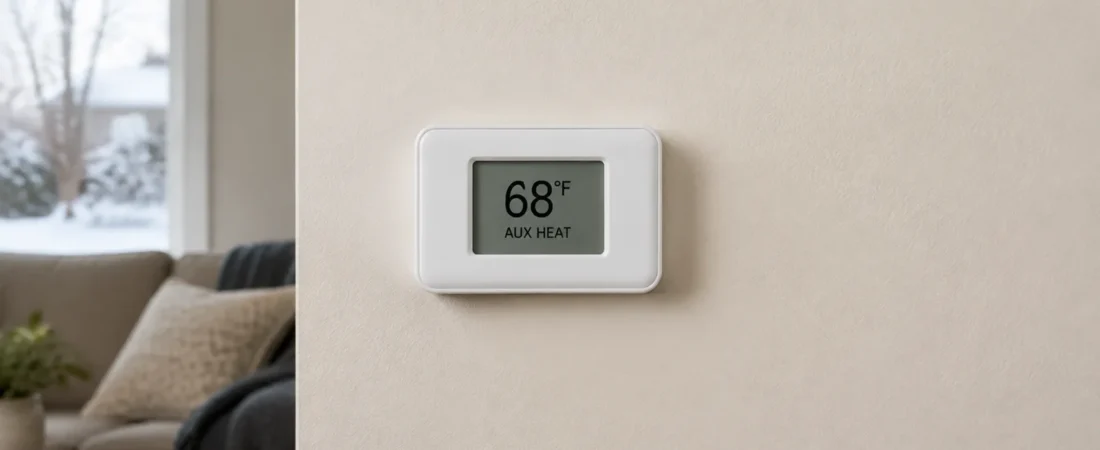
AUX heat means your heat pump system has called for a secondary heat source. That can be normal during cold weather, defrosting, or recovery from a temperature change. It is not automatically a fault. But if that backup uses electric resistance, long periods of operation can noticeably increase your electricity use.
Here is the part worth checking before the next cold snap: 10 kW of electric heat strips costs $1.80 for each full hour energized at $0.18/kWh. That is a calculated example, not a typical household bill. The label on your thermostat does not tell you the heater’s size or how much energy it used.
This guide helps you interpret the message, estimate electric backup costs, and decide what to record before calling for service.
What does AUX heat mean?
An air-source heat pump moves heat from outdoors into your home. A secondary heater can provide additional or replacement heat when the system calls for it.
In many all-electric systems, the backup is a bank of resistance heating elements inside the air handler. In a dual-fuel system, it may instead be a gas or oil furnace. Carrier’s auxiliary-heat explanation describes both arrangements.
That distinction matters. The electric cost examples below apply to electric heat strips, not a fuel-burning furnace. Depending on your equipment and controls, backup heat may assist the compressor or take over from it. Check the system documentation instead of assuming both always run together.
AUX heat vs. emergency heat: do not confuse the settings
The two labels can involve the same backup equipment, but they describe different control behavior.
On small screens, scroll the table sideways to see all columns.
| Thermostat label | How it is used | What to remember |
|---|---|---|
| AUX Heat | The controls call for supplemental or backup heating automatically. | The message alone does not prove a problem. |
| Emergency Heat / EM Heat | On systems with this mode, selecting it bypasses the normal heat pump and relies on backup heat. | It is not a routine fast-heat or money-saving setting. |
Trane explains that emergency heat is intended for situations such as a failed heat pump, with professional service needed. Follow your own equipment instructions and technician’s advice about when to use it.
Do not disable backup heat or change wiring to make the AUX indicator disappear. The goal is to avoid unnecessary operation while keeping the home safely heated—not to eliminate every minute of backup use.
Why auxiliary heat turns on
Three common situations help explain the message:
- The home needs more heat than the heat pump can currently deliver. Outdoor conditions, equipment capacity, and the home’s heat loss affect when backup is needed.
- The thermostat is recovering from a temperature change. Some controls call for backup when the gap between the room temperature and the target is large, or recovery is taking too long.
- The outdoor unit is defrosting. Some systems use supplemental heat during this temporary operating cycle.
These operating patterns are described in Carrier’s thermostat guidance and the heat-pump homeowner guide hosted by DOE.
There is no single outdoor temperature that switches on AUX for every home. A generic rule such as “it always starts at 35°F” leaves out equipment differences and control settings. Ask your installer what is expected for your particular system.
How much does electric auxiliary heat cost?
You need three numbers: the electrical input of the active heating elements, how long they are energized, and your electricity rate.
Electric backup cost = active heater kW × energized hours × electricity price per kWh
The following are deliberately simple scenarios at $0.18/kWh, an illustrative rate—not a claim about the current U.S. average. Heater sizes are example inputs, not a survey of installed systems.
On small screens, scroll the table sideways to see all columns.
| Active electric heat-strip input | Cost for one full hour | Cost for 30 total hours |
|---|---|---|
| 5 kW | $0.90 | $27.00 |
| 10 kW | $1.80 | $54.00 |
| 15 kW | $2.70 | $81.00 |
For example: 10 kW × 30 hours × $0.18 = $54. Thirty hours could be one full energized hour per day for 30 days, or another combination of operating periods. It is not a prediction of how often your backup should run.
These figures cover the heat strips only. Compressor operation, the blower, other appliances, and fixed utility charges are not included. Some heaters operate in stages, so a 15-kW installed heater may not draw 15 kW every time AUX appears.
Runtime can matter as much as heater size
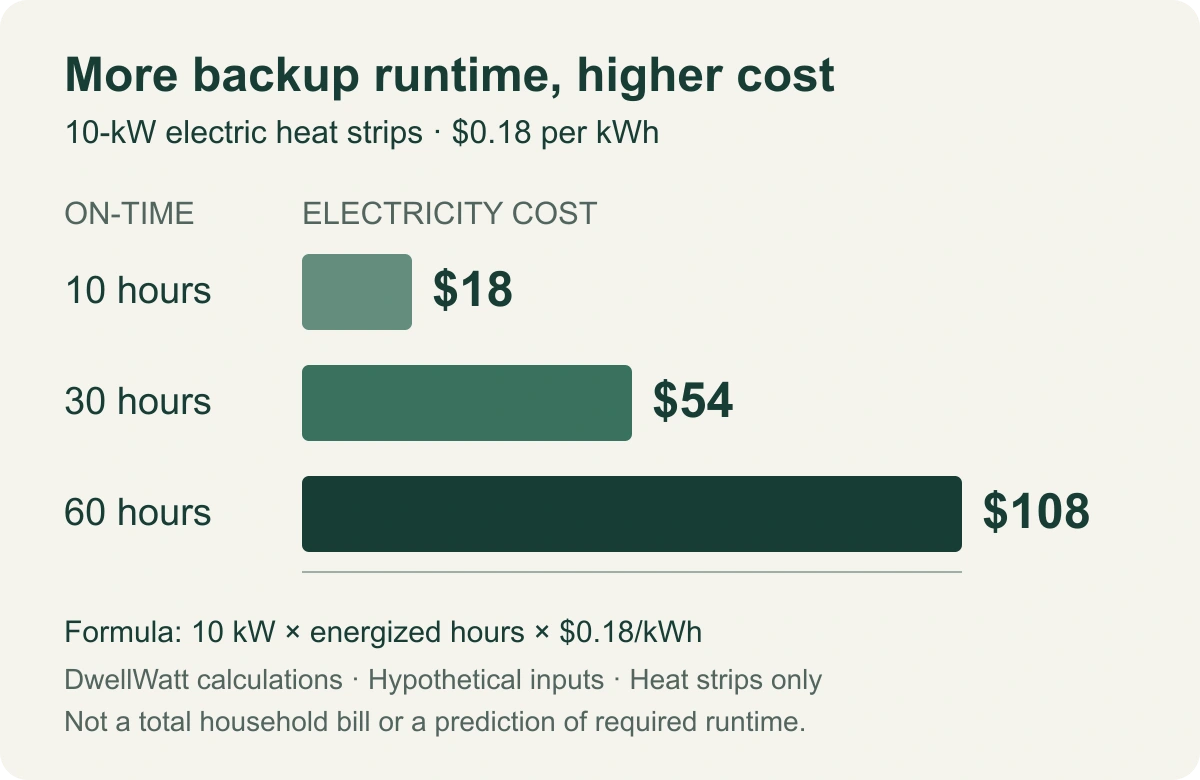
For the same hypothetical 10-kW heater at $0.18/kWh, 10, 30, and 60 energized hours cost $18, $54, and $108, respectively.
View the cost chart at full size (opens in a new tab).
DwellWatt calculations. Electric heat strips only; hypothetical inputs. These are operating-period totals, not measured monthly bills.
The useful question is not simply “Did AUX come on?” It is “Which backup stage ran, for how long, and was that expected in these conditions?”
Use the usage-based rate on your bill, including applicable supply and delivery charges. With time-of-use pricing, calculate each period at its own rate. Our appliance electricity cost guide explains the basic kW-to-kWh calculation.
Why heat strips can cost more than normal heat-pump operation
Resistance elements turn electrical energy into heat. A heat pump uses electricity to move heat, which lets it deliver more heat energy than the electricity it consumes. The CEE homeowner guide explains this difference.
Here is an equal-output illustration, not a performance claim about your unit:
- Resistance heat delivers 10 kWh of heat using approximately 10 kWh of electricity: $1.80 at the example rate.
- A heat pump operating at an assumed coefficient of performance (COP) of 2.5 delivers that same 10 kWh of heat using 4 kWh of electricity: $0.72.
COP means heat delivered divided by electricity consumed. It changes with operating conditions. This simplified example excludes distribution losses and is not a promise of 60% savings on your whole bill. It also does not prove the heat pump can supply the home’s entire heating demand during a cold snap.
A practical AUX heat checklist
If your home is comfortable and the message appears briefly during an expected operating event, record it rather than immediately changing settings. If the pattern is persistent, new, or accompanied by poor heating, gather the following information.
1. Record what changed
Note the outdoor temperature, room temperature, thermostat target, recent schedule changes, and approximate periods when AUX appeared. A short log is more informative than a screenshot without context.
If your thermostat provides equipment history, check what its “auxiliary runtime” actually measures. It may show a call for heat, not metered electricity or the active heater stage. Do not automatically multiply total HVAC runtime by the heater’s maximum rating.
2. Check the ordinary, accessible items
Confirm the selected operating mode in the user manual. Inspect or replace the user-accessible filter as instructed, and check for furniture blocking return or supply grilles. From a safe position, look for snow or debris obstructing the outdoor unit.
Do not open electrical panels, chip ice off coils, or try to repair refrigerant components. The CEE maintenance checklist distinguishes homeowner upkeep from work that needs a qualified HVAC professional.
3. Review the schedule without defeating the controls
If AUX repeatedly appears when a deep overnight setback ends, ask whether your thermostat’s recovery settings suit the heat pump. DOE’s thermostat training material explains how adaptive recovery learns the time needed to reach a scheduled temperature.
A steadier comfortable target may be worth discussing for your system. However, do not adopt a universal “never change the thermostat” rule or copy someone else’s installer-level lockout settings. Comfort needs, equipment, climate, and electricity pricing differ.
4. Know when a service check is worthwhile
Contact a qualified technician if the home is not reaching the target, the outdoor unit appears persistently iced over, or unusually prolonged AUX operation continues without an obvious reason. Trane’s troubleshooting guidance flags extended auxiliary operation in relatively mild weather as a reason to investigate.
Ask the technician to confirm the backup type and installed kW, active stages, thermostat configuration, defrost operation, and whether the observed runtime fits your system. These questions identify what to check; they do not diagnose a failed part remotely.
Could AUX heat explain a higher electric bill?
It could, but compare kWh per day, not just the dollar total. A higher rate, longer billing period, colder weather, or another appliance can change the bill too. Start with our high electric bill checklist before attributing the entire increase to heating.
For a useful cross-check, compare similar weather periods and look for changes that line up with the AUX history. Utility interval data may show a whole-home increase, but it does not isolate the heat strips by itself. Equipment-level electrical measurement should be handled with appropriately rated equipment by a qualified professional.
If you are considering a portable heater instead, our space heater vs. central heat comparison explains why heating one occupied room is a different calculation from safely maintaining the rest of the home.
The takeaway: check the pattern, not just the message
AUX heat is a function, not a diagnosis. Find out what supplies your backup heat, keep a short operating log, and use the right kW and runtime figures for a cost estimate. If the pattern does not fit the weather or the home is not staying warm, take that information to a technician. Leave necessary backup heating and safety controls in place.
How this guide was prepared: DwellWatt reviewed the linked manufacturer and educational sources and independently calculated the examples. We did not test or diagnose any reader’s equipment. Rates, heater sizes, operating hours, and the COP comparison are illustrative assumptions. Cover: AI-generated editorial illustration of a generic thermostat. Chart: DwellWatt calculations. See our editorial policy for our approach to sources and corrections.